High Impressions, Low Clicks in Search Console? How a Simple Title Tag Change Boosted CTR by 48% [Case Study]
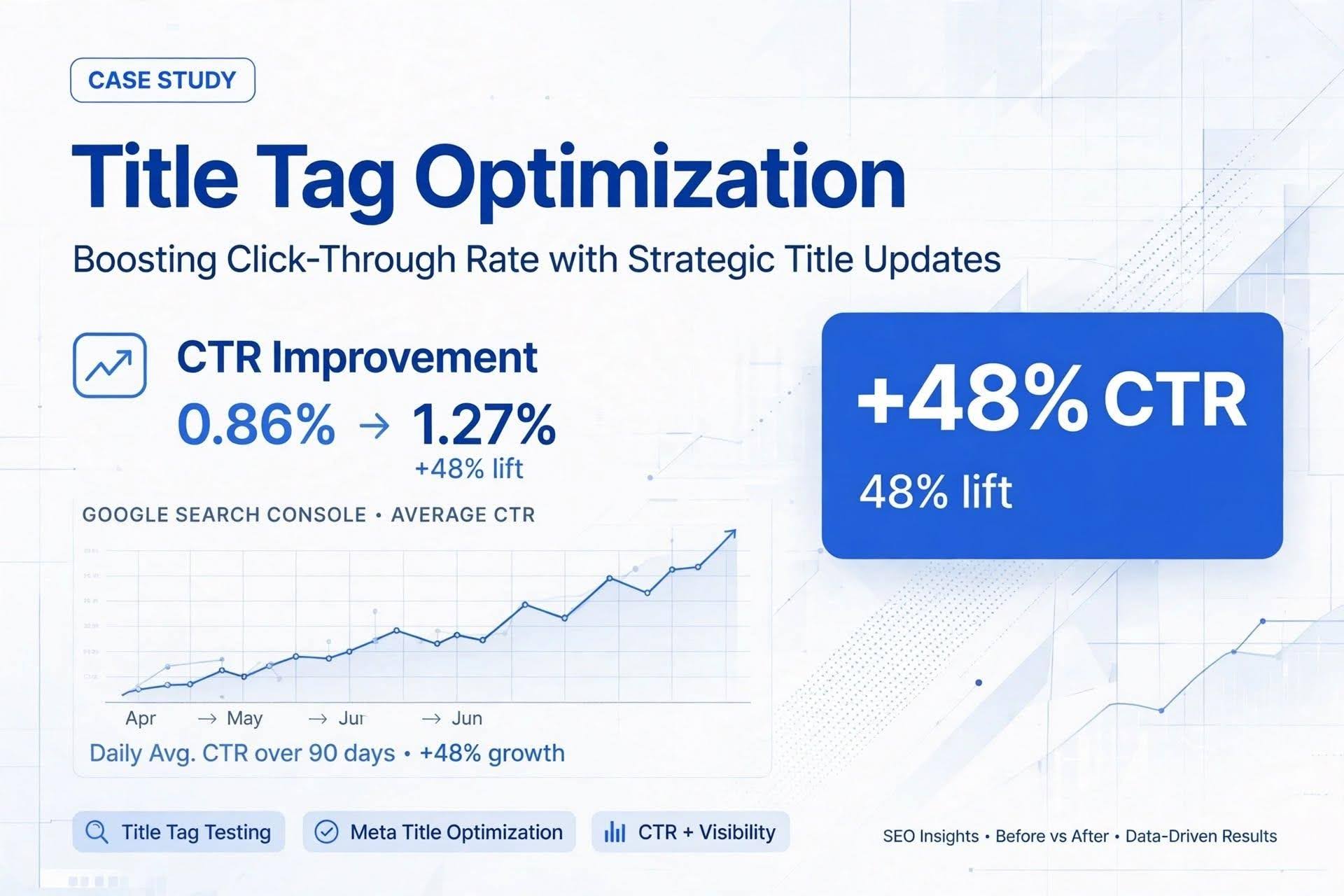
Is one of your pages getting thousands of impressions in Google Search Console but barely any clicks?
If your Performance report shows a big gap between impressions and clicks, the problem is usually not your ranking. It’s your title tag.
Our SEO team recently analyzed a case study showing how we increased organic CTR by nearly 50% without changing the page content.
Here is the exact breakdown.
The Problem: Lots of Visibility, Zero Clicks
The page in question was a restaurant’s menu page.
For 28 days, from August 1 to August 28, the data looked like this:
- Impressions: 3,843 • Clicks: 33 • CTR: 0.86% • Average Position: 10.6
Google was showing the page to a lot of people, but almost no one was clicking. This is a classic sign of an intent mismatch. You are ranking, but your snippet doesn’t answer what the user is actually looking for.
What Search Console Queries Revealed
Our team took a closer look at the page in Google Search Console and reviewed the Queries tab, a step many SEO professionals overlook.
People were searching for:
menu prices, lunch menu, catering menu, brand lunch prices
But the title tag of the page was:
Brand Menu | Town and Cuisine
None of the words people were searching for – prices, lunch, catering – were in the title. Google was showing the page because it was relevant, but users didn’t click because the title didn’t promise what they wanted.
This is the core of Search Intent Optimization. Your title must speak the user’s language, not your brand’s language.
The Fix: One Title Tag Rewrite
Here is the best part: Nothing on the page itself was changed. No new content, no new prices, no design update.
Only two things were changed:
- Title Tag:
From: Brand Menu | Town and Cuisine
To: Brand Menu and Prices | Lunch, Catering, Town
- Meta Description:
Rewritten to include the same intent words: prices, lunch, and catering options.
That’s it. One hour of work. The new title now matched exactly what Search Console said people were typing.
On the same day, he also fixed the homepage to better handle pure brand searches, so brand traffic would go to the right place.
The Result: 48% CTR Increase Despite Fewer Impressions
Here is the comparison for the next period, September 7 to October 4:
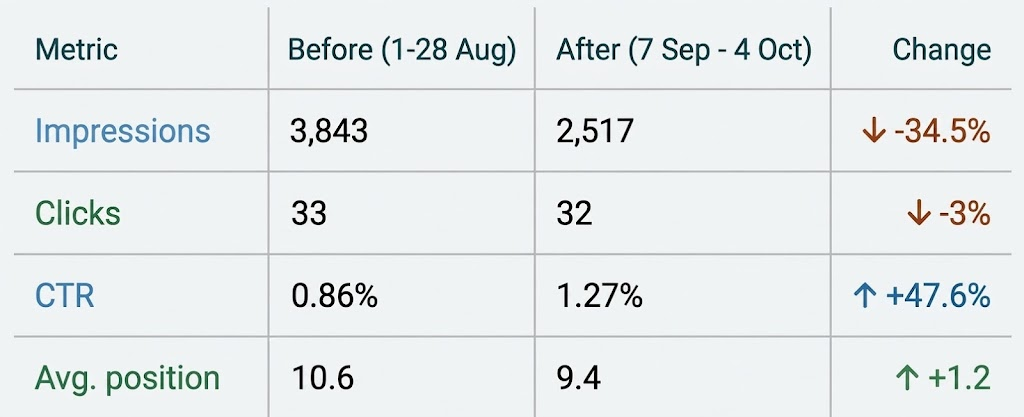
At first glance, it looks like impressions dropped. And they did. But that’s actually a good thing.
Why? Because part of that traffic was just brand searches that were accidentally landing on the menu page. After the homepage fix, that traffic went back to the homepage where it belongs.
The important part is: Clicks stayed almost the same while impressions dropped by 35%. That means the page became far more efficient. The new title raised the click rate by about half and improved the average position from 10.6 to 9.4.
This is best described as a mixed result. It wasn’t simply a traffic increase; it was an improvement in traffic quality and SEO efficiency.
3 Lessons You Can Steal Today
You can replicate this exact process on your own site in 15 minutes.
1. Find Your Opportunity Page
Go to Search Console > Performance > Pages. Sort by Impressions high to low. Look for pages with high impressions but CTR below 1.5% and average position between 5 and 15. That’s where you are visible but not clickable.
2. Let Queries Write Your Title
Click on that page, then go to Queries. Sort by Impressions. What are the top 3-5 phrases? Now look at your current title tag. Does it contain those words? If not, you found your fix. Rewrite your title using this formula: [What it is] + [What people search for] + [Location].
3. Measure Correctly
Don’t check the next day. Change the title, request re-indexing in the URL Inspection Tool, and wait 14-21 days. Then compare 28 days before vs. 28 days after. Track impressions, clicks, CTR, and position.
Final Takeaway
You don’t always need new content to grow. Sometimes, you just need to listen to what Search Console is already telling you.Find a page with many impressions and a low CTR. Read its top searches. If the title doesn’t use those words, test a new title that does. It’s the fastest, lowest-risk SEO test you can run.
Ready to improve your website’s search rankings and attract more customers?

 I’ve gotten a number of works do e by Sandra Smith of IT Pyramid, from pictures, character designs and animations to vtuber models. The quality has always been top notch and i can’t recommend them highly enough.